Smooth Playlist#
This was originally created by Br3tt aka Falstaff.
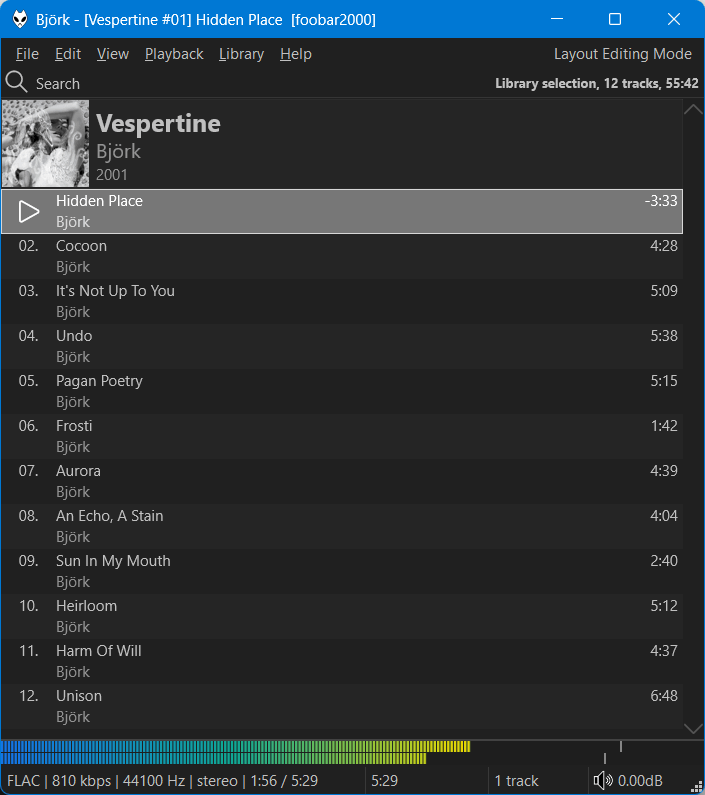
Features#
- Variable height group headers with album art. Right click the header bar or scrollbar to change options/turn off grouping.
- Cover art or custom image as background supported (including a blur effect).
- Smooth scrolling.
- Change colours and fonts in foobar2000
Preferences>Display>DefaultUIorColumsUI. - Alternatively, you can configure independent custom colours from the right click menu.
- You can also enable dynamic colours extracted from the front cover of the playing item.
- Use Ctrl+T to toggle the info bar.
- Use Ctrl + mouse wheel to zoom.
- Use Ctrl+C, Ctrl+X, Ctrl+V to copy/cut/paste using the
Windows Clipboard. Clipboard contents can now be pasted inWindows Explorer. - Playlist search behaves similarly to the native
foobar2000playlist search where matching items are highlighted in the playlist. Press F3 to jump to the next result.
Limitations#
- This is very basic and is in no way equivalent to a proper playlist viewer.