JS Playlist#
This was originally created by Br3tt aka Falstaff.
Features#
- Full drag/drop including to external panels.
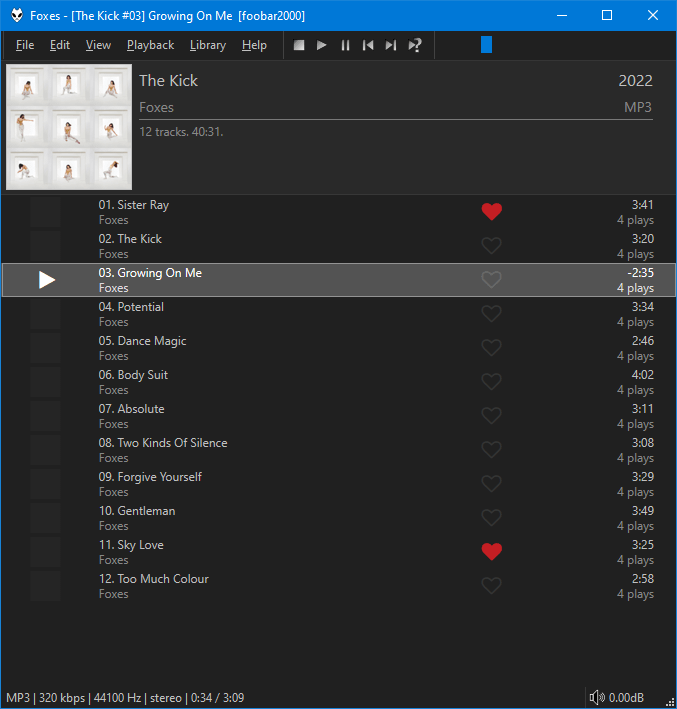
- Customisable group headers with optional front cover display.
- Smooth Scrolling.
- Arrange columns using drag/drop.
- Change colours and fonts in foobar2000
Preferences>Display>DefaultUIorColumsUI. - Alternatively, you can configure independent custom colours from the right click menu.
- Create custom columns with title formatting and full
$rgbsupport. - The
MOODcolumn does not support$rgbso the colour can be configured independently via the right click menu. - There is a
Enable Dynamiccolour option. Colours are extracted from the album art of the currently playing track. If active, custom colours /$rgbare ignored. - Playlist specific fields like
%list_index%,%list_total%,%isplaying%,%queue_index%etc are fully supported. - Optional playlist info header.
- Use album art or a custom image as background wallpaper.
- Use the middle click mouse button or Tab to open the built in
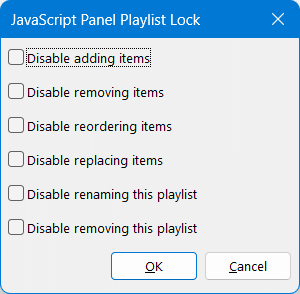
Playlist Manager. This has advanced features such as the ability to sort playlists by name and apply playlist locks. - Check the right click menu and
Panel settingsfor all options. - Right click on the columns toolbar to toggle columns on/off. Use the main
Panel settingsto customise them. - Use Ctrl+T to toggle the columns toolbar.
- Use Ctrl+I to toggle the playlist info panel.
- Use Ctrl+C, Ctrl+X, Ctrl+V to copy/cut/paste using the
Windows Clipboard. Clipboard contents can now be pasted inWindows Explorer. - Use F2 to rename active playlist in playlist manager panel.
- Use F5 to refresh covers.