Configuration Window#
Right click any panel>Configure to open the Configuration Window.
Note
Some scripts may implement their own menu without a Configure option. If
this happens, you can hold down the Shift+Win keys and then right
click. This always brings up the default menu.
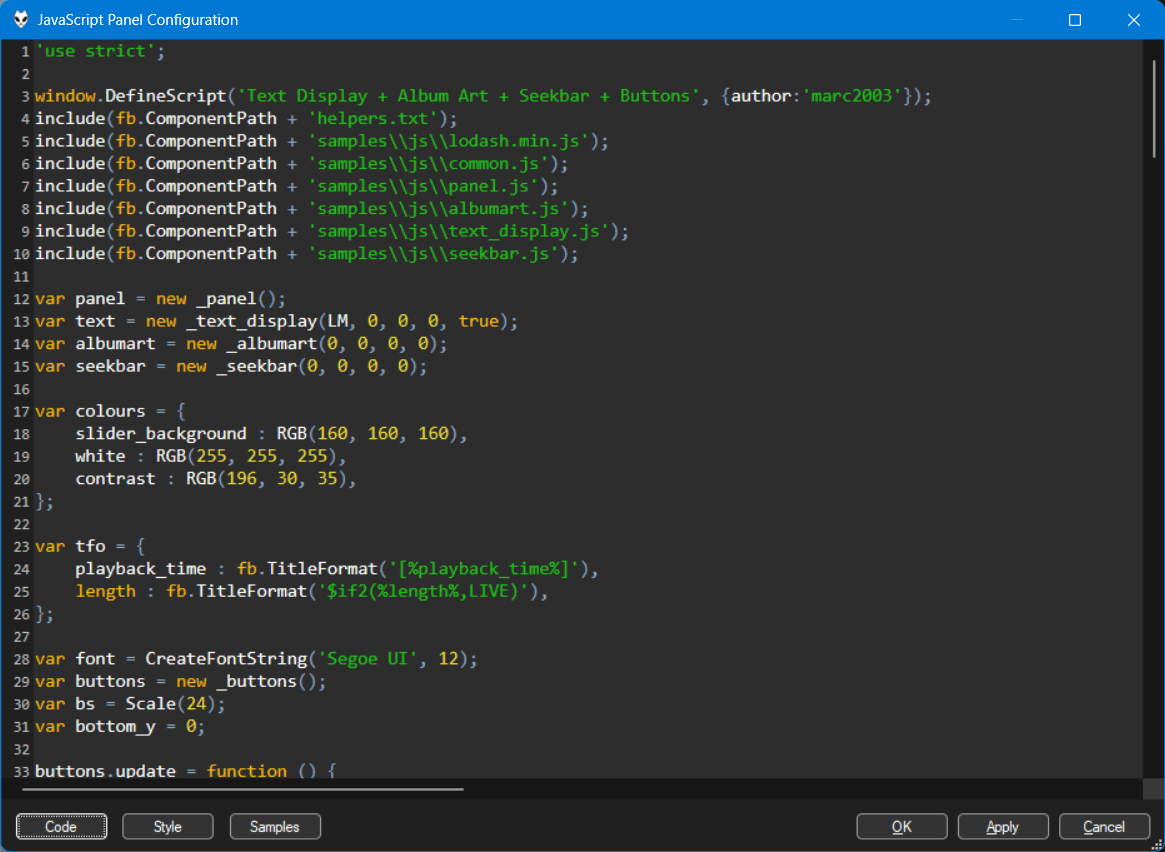
Using the Code button you can access the following commands which should be
self-explanatory.
ResetImportExport
Use the Style button to change the Editor Properties.
Use the Samples button to quickly choose any of the included scripts.
Keyboard shortcuts#
| Ctrl+0 | Reset zoom. Change using Ctrl and the mouse wheel. |
| Ctrl+F | OpenFind dialog |
| Ctrl+G | Open Go To Line dialog |
| Ctrl+H | Open Replace dialog |
| Ctrl+S | Apply |
| F3 | Find next |
| Shift+F3 | Find previous |
Editor Properties#
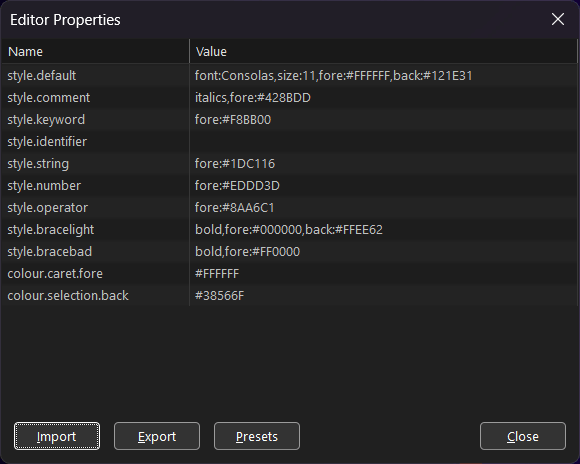
For styles, you can combine any of the following options
separated by a comma.
| font:NAME |
| size:PIXELS |
| bold |
| italics |
| fore:HEX_COLOUR |
| back:HEX_COLOUR |
Hex colours must be the full 6 digits like #FF0000.
colour.caret.fore and colour.selection.back can be hex colours only.